Bug in app
Posted: Mon Apr 14, 2025 4:08 pm
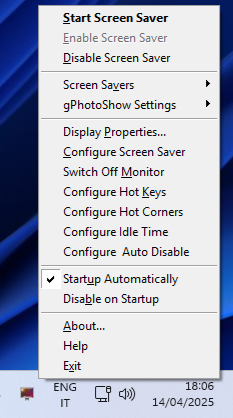
Something is wrong with the "Start gPhotoShow" and "Control Screen Saver" app. The former displays a white rectangle icon which loads an unopenable "scr" file. Its location in C:\Windows it's "gPhotoShow64.scr".
The latter has a reddish tv-lookalike icon which does nothing when I try to open it. In Program Files it is named as "ControlSS64.exe".
I've uninstalled and reinstalled gPhotoShow pro and still have the same problem.
Windows 11, up-to-date; Asus Zenbook 16s.
I use the screensaver which works automatically as it should after 5 minutes idle time.
Any ideas, folks?
The latter has a reddish tv-lookalike icon which does nothing when I try to open it. In Program Files it is named as "ControlSS64.exe".
I've uninstalled and reinstalled gPhotoShow pro and still have the same problem.
Windows 11, up-to-date; Asus Zenbook 16s.
I use the screensaver which works automatically as it should after 5 minutes idle time.
Any ideas, folks?